A digital family command center, without the $600 screen
The family command center, that Pinterest fixture of chalkboard paint, wall files, and a month-at-a-glance grid by the back door, earned its popularity honestly. Putting the schedule, the lists, and the reminders in one spot everyone walks past is just good systems design. The paper version has one flaw: somebody has to keep writing on it. The digital version fixes that, and it doesn't require the $600 touchscreen the ads suggest. (We make Callie, one of the cheaper routes below.)
What a command center actually needs
Strip the Pinterest styling and four jobs remain:
- The week, visible. Not in an app someone has to open. Ambient, in a spot people pass with cereal in hand.
- Who's doing what. A five-person week is noise unless each person reads at a glance. Color is the proven fix.
- The lists. Groceries and to-dos, writable by anyone, visible to everyone.
- The drumbeat. Trash night, library day, cleats Wednesday: the weekly stuff that isn't really an "event" but wrecks the morning when missed.
Anything doing those four jobs is a command center, whether it cost $700 or nothing.
Route 1: dedicated hardware ($150–700, usually plus a subscription)
The Skylight Calendar ($149.99–$599.99, most features behind a $79/year subscription), Hearth Display ($699 plus $9/month), and Amazon's Echo Show 15 ($249.99, no subscription) are command centers in a box. You're paying for touch input at the wall and, in Hearth's case, kid-routine coaching. If those are the features you want, the box is the product; we compared the two big ones.
Route 2: screens you already own ($0–3/month)
Most kitchens and living rooms already contain the hardware: a TV with an Apple TV or Fire stick, an iPad on the counter, a retired tablet in a drawer. The command center becomes a software problem, which is where the price falls off a cliff.
Our version: Callie puts the color-coded family week on the Apple TV, iPad, and iPhone together: same board, every screen, linked with a 6-digit code. It covers all four jobs above: the week ambient on the big screen, people separated by color automatically, shared lists anyone can check off from any device, and weekly reminders that put trash day on Tuesday forever without cluttering the calendar. Between glances, the screen is a photo frame fed by your iCloud or Google Photos shared album. $3/month per family, with a 14-day free trial.
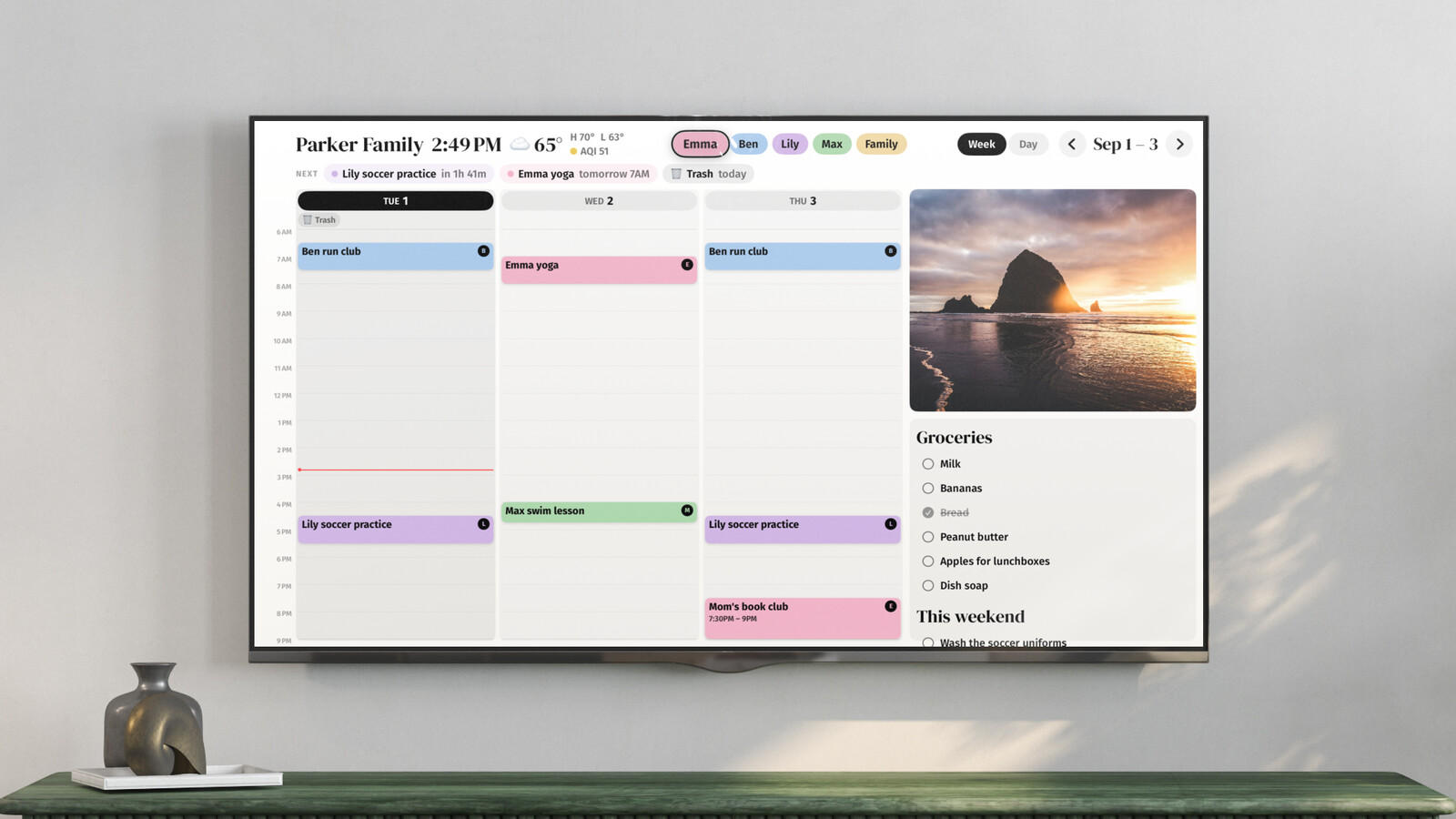
Non-Apple households can do the same on a Fire stick or smart TV with Mango Display, or on any spare screen with DAKboard; see the DIY comparison.
Placement beats features
Whatever screen you choose, the paper command center's oldest rule still decides whether it works: location. The display goes where the family already funnels, which usually means the kitchen, the hallway to the garage, or wherever backpacks pile up. A calendar in the home office is a calendar nobody sees. This is, incidentally, the strongest argument for using the TV: it's already in the room where everyone ends up.
Keep the paper for the fun parts
The digital board replaces the part of the command center that rots, the grid someone has to maintain. It doesn't replace the corkboard for invitations and art, or the whiteboard for "back at 6." Keep those. The screen just takes over the one job paper was always going to lose.
Keep reading
- The best family calendars in 2026: apps, displays, and your TV
- 6 Skylight Calendar alternatives worth a look in 2026
- Is the Skylight Calendar worth it? The five-year math
Callie puts the family calendar on the Apple TV, iPad, and iPhone you already own. See how it works or start free.